n8n x Bright Data 2026: No-Code Automated Data Collection Guide
Wire Bright Data into n8n workflows to run trigger-to-storage data collection with no code, plus credential handling and real cost numbers for 2026.
This article contains affiliate links (advertising).
You want to collect public web data on autopilot every day without writing code. The fastest path to that in 2026 is n8n paired with Bright Data. This guide covers what n8n is, how to wire Bright Data into it, how to design the trigger-to-storage workflow, how to handle API keys safely, and what it costs, all grounded in our own Bright Data production experience. The short version: scheduled public data collection runs from a few dollars a month using self-hosted n8n plus Bright Data usage.
1. n8n and Bright Data in 60 Seconds
n8n is a source-available (fair-code, Sustainable Use License) workflow automation tool where you wire nodes together by drag and drop to automate work. It sits close to Zapier or Make, but it self-hosts with Docker, ships 400+ integrations, and includes AI Agent nodes. Add Bright Data to the mix and you can automate collection from the public web, where bot detection and CAPTCHAs usually break naive scrapers, over stable managed infrastructure.
1.1 Why Use Bright Data for the Collection Step
The n8n HTTP Request node can fetch pages on its own, but in production you hit 403/429 storms, empty data from unrendered JavaScript, and Cloudflare-style bot walls. Bright Data absorbs all of that with a pool of 150M+ Residential IPs and Web Unlocker, which keeps the n8n side of the workflow simple. n8n itself announced the Bright Data integration on its official account.
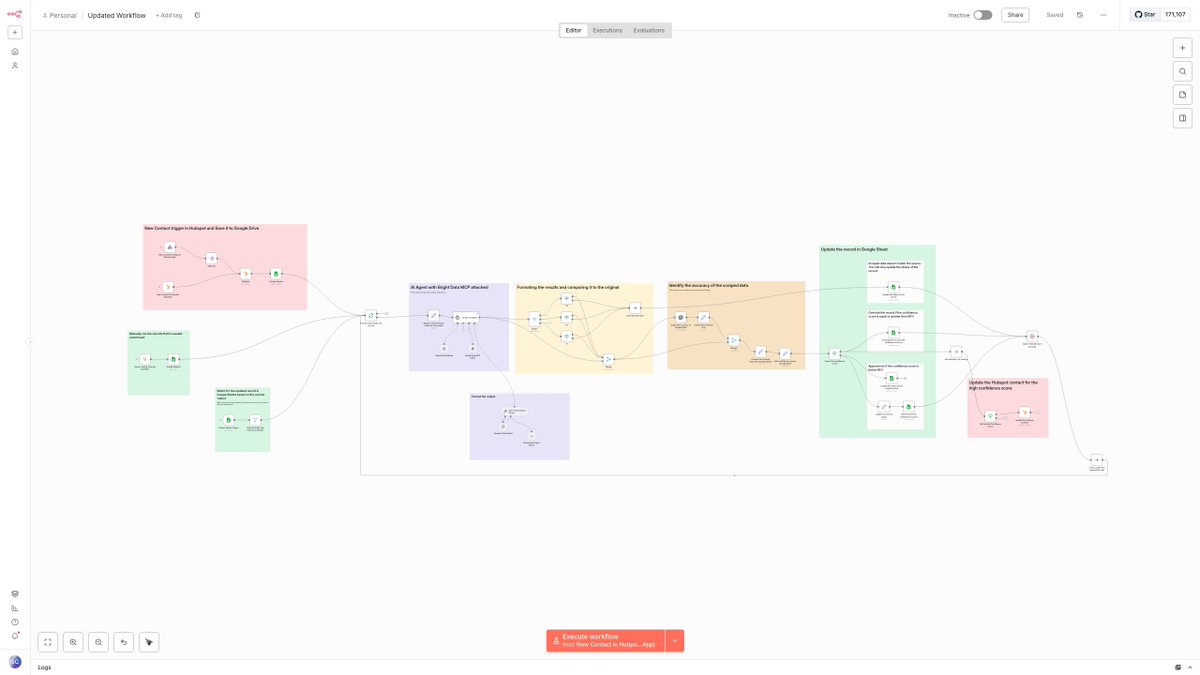
For context, n8n shipped a template that generates a 360-degree social media report using Bright Data MCP and OpenAI.
1.2 Typical Use Cases
- Competitor price monitoring; ongoing collection of reviews, jobs, and real estate listings
- Scheduled SEO rank tracking accumulated into a spreadsheet
- New-lead enrichment (auto-attaching company and social profile data)
- News and content aggregation with Slack alerts
2. The Core Workflow (Trigger -> Collect -> Transform -> Store)
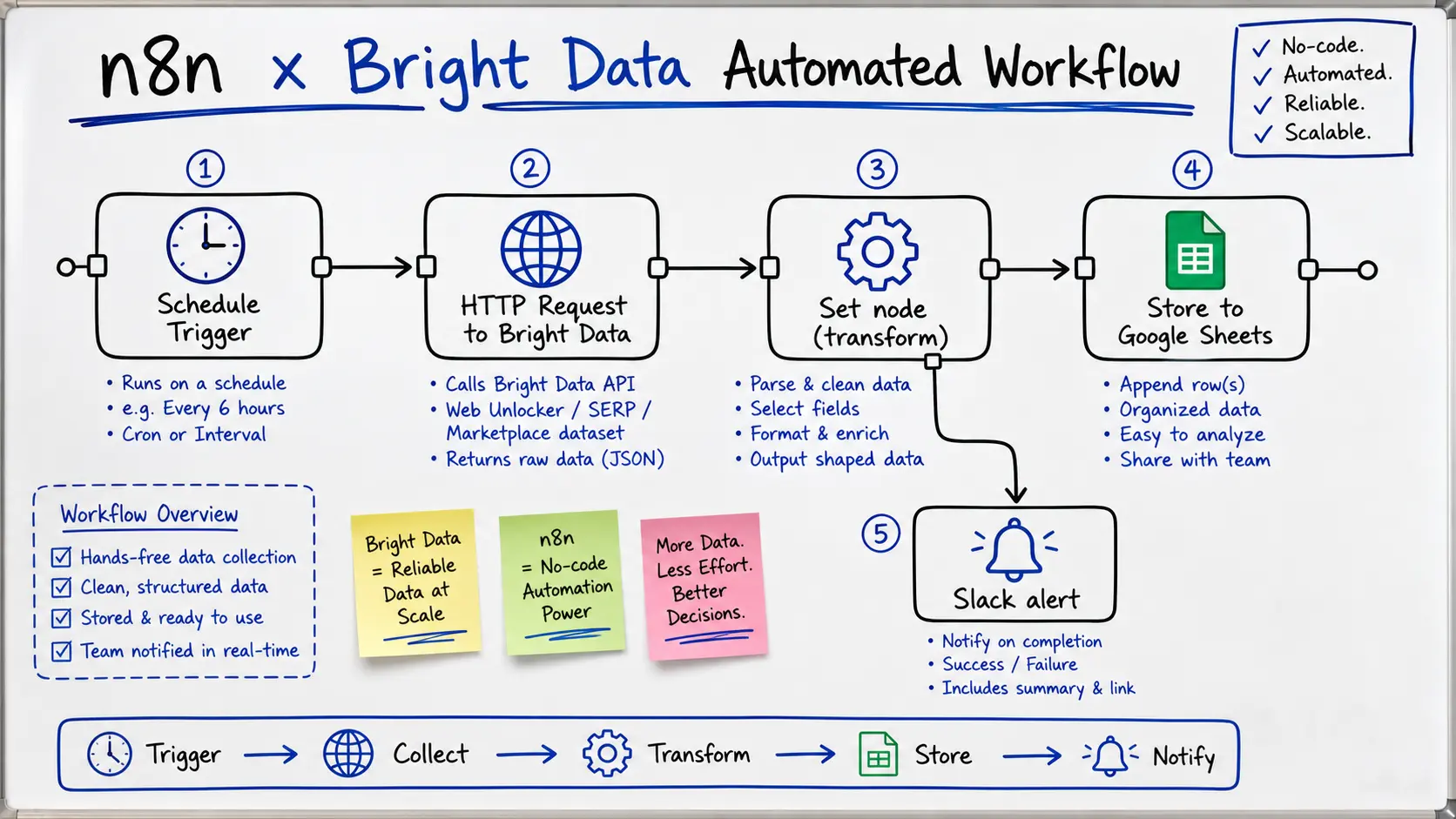
An n8n x Bright Data workflow generally breaks into five blocks. Each is built by wiring standard nodes, so code is almost never needed.
| Block | Nodes used | Role |
|---|---|---|
| Trigger | Schedule / Webhook / Form | Run daily, on a timer, or on demand |
| Collect | HTTP Request, or AI Agent + Bright Data MCP | Pull data via Bright Data |
| Transform | Set / Edit Fields / IF / Item Lists | Extract fields, filter, reshape |
| Store | Google Sheets / Postgres / Notion | Accumulate the results |
| Notify | Slack / Gmail | Alert on detected changes |
The figure below shows this end-to-end flow as a single workflow.
2.1 Two Patterns for the Collection Block
There are two main ways to wire Bright Data in.
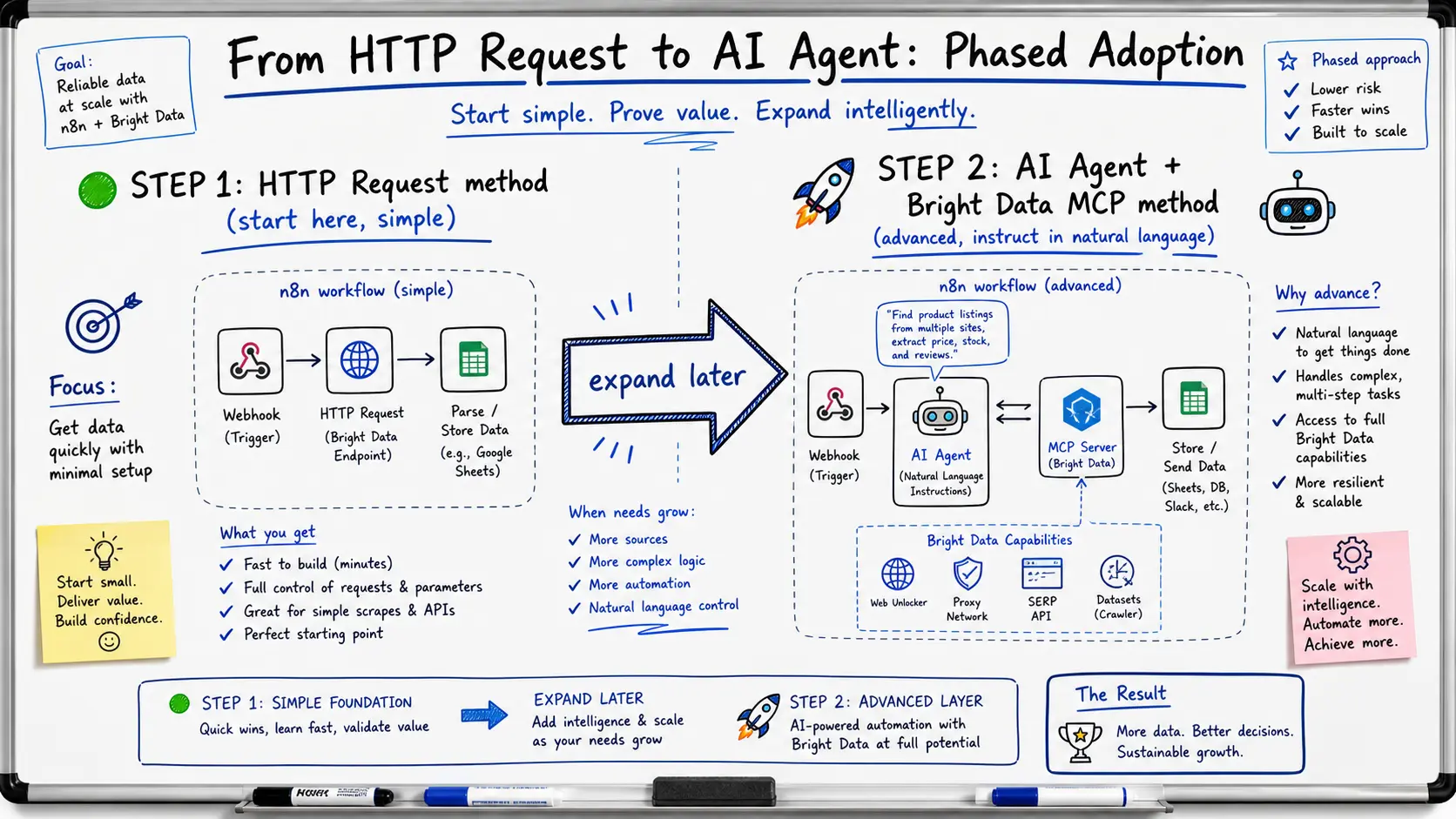
- HTTP Request node pattern: Send requests straight to the Web Unlocker, SERP API, or Web Scraper endpoints. A structured scraping API returns clean JSON without HTML parsing, which makes the transform step easy.
- AI Agent + Bright Data MCP pattern: Hand the Bright Data MCP tools to an n8n AI Agent node and instruct it in natural language ("extract price and stock from these URLs"). This cuts node configuration even further.
The MCP-based setup is covered in detail in Bright Data MCP Server for AI Agents: A 2026 Practical Guide. Starting with the HTTP Request pattern and adding the AI Agent later is the easiest path to follow.
2.2 Building the Transform and Store Blocks
After collection, use the Set node to pull only the fields you need. Expressions look like {{ $json.data.price }}, referencing the JSON structure of the result. Build a condition such as "if the price dropped since last run" with the IF node, append a row with the Google Sheets node, and send an alert with the Slack node. If you want to hand results off to an external system over a webhook, see the delivery design in Bright Data Webhook & Delivery 2026: S3, BigQuery, Snowflake.
3. Build Competitor Price Monitoring in 30 Minutes
Here is the shortest path for the most-requested workflow: pull competitor product prices daily and stack them in a sheet. We build it with the HTTP Request pattern.
- Issue an access token in the Bright Data dashboard and create one Web Unlocker or Web Scraper zone
- Register the Bright Data API token in n8n Credentials (never hardcode it in the workflow)
- Add a Schedule Trigger node and set the run time, such as 9 a.m. daily
- Put the list of product URLs to monitor in a Set node
- Call the Bright Data endpoint with an HTTP Request node, passing the URLs and the fields you want (price, stock, review count)
- Reshape the returned JSON with a Set / Item Lists node
- Append rows with the Google Sheets node, and when the IF node detects a price drop, notify via the Slack node
These seven steps take 30-60 minutes if you start from an existing template. Because Bright Data provides a stable collection layer, you avoid the classic free-scraper failure where data simply stops arriving one day.
3.1 Protect the API Key With n8n Credentials
Always register the Bright Data API token in the n8n Credentials feature. Hardcoding it into node parameters or a JSON export leaks it the moment you share or version-control the workflow. With Credentials, nodes only reference the credential, and the token itself stays out of the export. Splitting tokens per zone and scoping permissions by use case makes it sturdier still.
4. Impact and Cost
The appeal of n8n x Bright Data is pairing low running cost with reliability. Self-host n8n and the platform itself is free; the only meter running is Bright Data data collection.
4.1 A Real Cost-Reduction Example
Users report replacing $200+/month dedicated tools with around $30/month of Bright Data usage.
A user reports swapping a $200+/month tool for n8n plus roughly $30/month of Bright Data, and finds it far more reliable than free scrapers.
As of May 2026, Bright Data pricing runs around $1.5 per 1K results for Web Unlocker and SERP API (dropping to $1 with volume commitment), and around $8/GB (¥1,200) PAYG for Residential proxy, dropping into the $5/GB range with commitment1. The more you lean on structured APIs and the less raw HTML you pull, the lower the cost. Check current rates in Bright Data Pricing Cheat Sheet 2026: Product-by-Product Cost Guide and on the official pricing page.
4.2 Applications Like Lead Enrichment
Beyond price monitoring, there are RevOps cases where a new HubSpot lead triggers Bright Data to attach company and social profile data and update the CRM.
New HubSpot lead -> AI decides the tools -> Bright Data MCP pulls LinkedIn, company data, and email validation -> the CRM updates automatically, with zero manual work.
At Smile Comfort, we run Tra-bell, a hotel price-tracking service, on Bright Data Residential proxies. We can advise on designing, prototyping, and operating scheduled collection that combines Bright Data with a workflow platform like n8n, depending on your requirements.
5. Operational Cautions and Compliance
No-code makes this easy to assemble, but because it runs automatically and repeatedly, the guardrails must be designed on the human side.
- Legality of targets: Check each site's terms of service and robots.txt in advance, and collect only public data within a lawful scope
- Rate control: Keep the Schedule frequency and per-run request count modest so you do not overload the target site
- Cost ceiling: Set per-zone monthly caps and usage alerts on the Bright Data side to prevent runaway billing from a misbehaving workflow
- Personal data: Respect GDPR, APPI, CCPA, and other applicable regulations, and avoid collecting sensitive data
- Error handling: Use the n8n Error Trigger to notify on failure, and retry settings to absorb transient errors
Baking these into your first workflow saves a lot of rework later.
6. Conclusion
n8n x Bright Data is a practical answer to running scheduled public-web collection with no code, reliably, and cheaply. Self-host n8n and the platform is free, with billing limited to Bright Data usage. Lay the foundation with the HTTP Request pattern and expand to AI Agent + MCP as needed. Given the bot-bypass accuracy and the breadth of its product line, Bright Data is a strong choice for the collection layer of a no-code automation stack.
Information current as of 2026-05-31. Please check the official sites for the latest updates.
This article contains affiliate links.
Footnotes
-
Bright Data official pricing page (as of May 2026): https://brightdata.com/pricing ↩
Frequently asked questions
Related articles
Bright Data MCP Server for AI Agents: A 2026 Practical Guide
Bright Data Webhook & Delivery 2026: S3, BigQuery, Snowflake